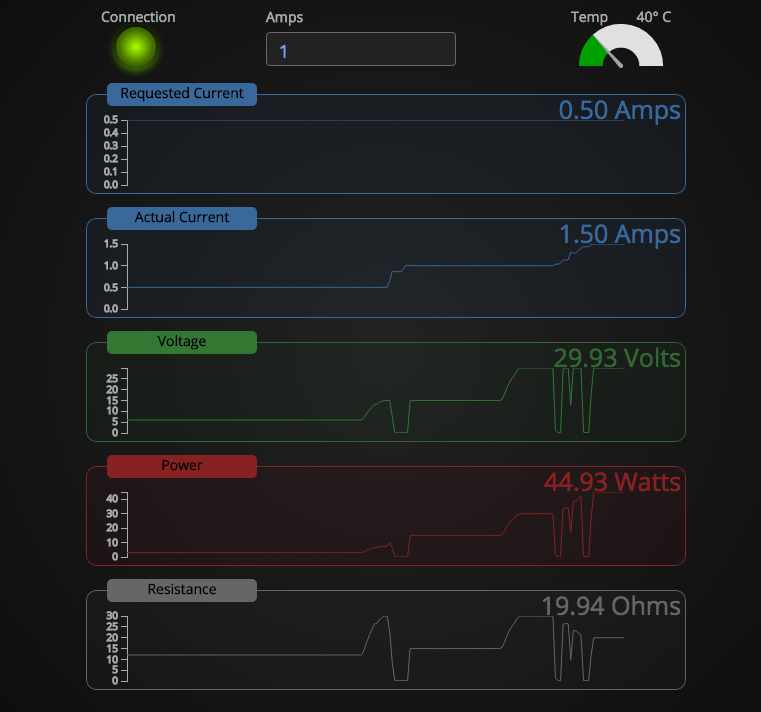
 Now that I have the Raspberry Pi, and the Re:load Pro, I wanted some way to monitor things. Luckily, someone else did the work! While I have no problem running it on the Mac, that defeats my purpose of the Raspberry Pi. So, I grabbed the source, and worked on installing it on there.
Here’s the long and short of it.
You need to download and compile node.js from source. This will take a LONG friggin’ time, so go have dinner. Watch a movie. Something. For me, it took about 2 hours to compile. After that, you need to install optipng, and libjpeg-progs (sudo apt-get install optipng libjpeg-progs). Finally, you have to install node-serialport (sudo npm install serialport). After that, you can install rlpmon by cd’ing into the directory, and running “npm install” (basically, follow the directions on Dean’s github page for the software.
After that, you’re good to go. Enjoy!
 Late last night, my
 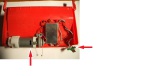 Just a quick post, but the other day, my Roomba proceeded to suck up a baby wipe (that my son had apparently left somewhere randomly and I didn’t see while picking up the main floor before bed), and the brushes jammed up enough that it didn’t trigger the “clean brush” warning, but probably overheated the Cleaning Head Module (CHM) motor (see picture). After removal, the brushes refused to run. Spinning the brushes manually was easy, so it wasn’t physically seized. Unfortunately, replacing the motor (eBay) is basically the same price as buying a whole new CHM. Checking the electrical resistance on the motor was about 8ohms. Not too bad, but, I’ve never cleaned the motor, so I gave it a few good squirts of DeoxIT, and spun it a while. Checked the resistance again, and it was 22k ohms. Huh. Hooked it up to my bench PSU at 9V, and powered it up. Nothing. Crap.