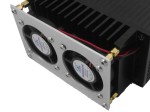
 As a relatively early adopter of the Re:Load Pro I have been excited about the fan kit that was announced around the same time as release, effectively doubling the power dissipation of the load, and still maintaining a price point well below a commercial product like the BK Precision 8500 (though obviously a significant difference in power dissipation). When Arachnid Labs finally announced ordering for the Fan Kit, I was nearly first in line, and then by the end of Feb 2nd, 2015, the kit had showed up at my door. Install instructions (currently sans pictures) are on the Arachnid Labs site. Install was relatively painless, and involved soldering two headers to the control board, putting the fan leads through the heatsink hole, soldering the fan leads to the control board, and finally soldering the board to the main RL:P board. The real issues with the install are that the hole on the heatsink is just a tiny bit small for the fan wires (leading to some shaved insulation off the wires), and that the header holes on the main RL:P board are drilled on the small side, so mating the headers required a fair amount of pressure to push the board in enough to solder the headers on the backside. Both of which fixes should be easy enough for Arachnid Labs to fix in a future product run. The only other thing is a QA problem (or maybe purchasing). One of the two fans on my unit has a fair amount of bearing rattle at low speeds (and goes away at higher speeds). I may be able to fix this with some lubrication, or I may just replace both fans at a future date with some Noctua fans.
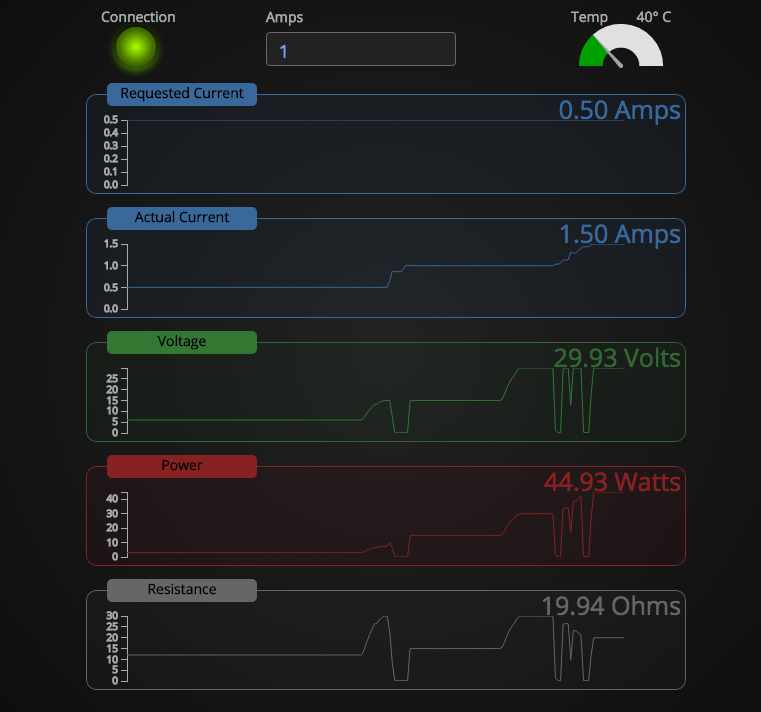
Total install took less than half an hour, and firing the unit up afterward was greeted with silence (the fans don’t run when there’s a low amount of heat). I knew the RL:P could dissipate 25W continuously before the fans, and the claim was the fans doubled that, so, I went for broke, and wired up to have it dissipate 50W. The fans quickly ramped up to full speed, and the unit kept on chugging (even though the whole aluminum case of the unit got warm after an hour of dissipating that load). Turning off the power, the fans ramped down relatively quickly, and continued to run (slowly) for well over 15 minutes cooling things back down, then finally turned off. Sweet. The only missing feature is being able to display the temperature on the front panel (I’m assuming this is coming in a future firmware release). I haven’t tested it’s full capability, but it didn’t have any problems with a load of 55W the next day.
All and all, very happy. While the unit was a bit more than I would have liked, it’s still extremely capable, and the designer has been wonderful to work ask questions of, ask for improvements, etc. And the few issues I’ve had with the install will no doubt be addressed in future hardware revisions, or he’ll just start selling the fan kit standard, and let the manufacturing house deal with the install. =)
[xrr rating=5/5]
 I have wanted a Programmable load for a while, and truly needed one since I purchased an unknown quality HP 6624 for $10 at Goodwill and needed a way to test it before re-selling. I’ve looked at the venerable BK Precision, as well as the “knockoff” (or OEM, depending on who you believe), Maynuo equivalent. But, I just couldn’t swallow the $300+ price tag. I also looked at building one, but it just never made it on my list. But then, Arachnid Labs came to the rescue, and created the Re:Load Pro, a programmable version of his inexpensive Re:Load that offered a simple DC load equivalent to Dave Jones’