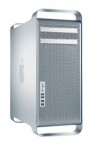
 My work machine is a Mac Pro 1,1, and it’s obviously getting a bit long in the tooth. I upgraded the video card from an X1900 to a Radeon HD 5770 (which works fine) last year, and just yesterday, I undertook the process of installing two Xeon X5355‘s rather than the stock 5150 processors. The process is pretty simple (I’d call it a medium difficulty), but is easy enough to follow instructions online ((I’ve actually found this to be the best written instructions on getting MOST of the way there)) (the hardest part was removing the cowl from the processors). You’ll need a 3mm 9″ hex key (I happened to have one), and some thermal compound (I used Arctic Silver 5).
The processors I used were purchased off ebay for all of $54/each with free shipping. BTW, make sure to buy the SLAEG revision, as this version halves the idle power usage down to about what the stock CPUs use ((The stock 5150’s use 24W idle, and about 65W full power. The X5355 SLAEG use 25W idle, and 120W at full power. Decreased power usage seems to be from the SLAEG supporting Demand Based Switching.)). Install time was about an hour with pulling everything apart, and doing the thermal compound correctly (clean the CPU/heatsink, prime/tint both surfaces, etc).
 Here at work, we have FCS7 and FCPX on all our lab machines, but we’ve always had a weird issue where the Mac App Store (MAS) shows updates being available, but they won’t install due to some error. After thinking about it for a while, I took at look at the Final Cut Studio 7 apps that have FCP X equivalents (Final Cut Pro.app, Motion.app, and Compressor.app), and interestingly, I found in Contents that each had a _MASReceipt directory. Interesting. It seems at some point the MAS put receipt files in the older versions of the apps, and that confused it thinking that there were updates.