Everybody Staze...

Nobody leavz...

  • Home
  • About Me
    • LinkedIn
    • Lab
  • Contact
  • Links
  • Reviews
  • Sitemap
  • Weather

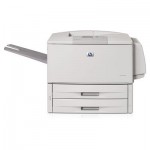
How to REALLY initialize the HD on an HP 9050

2011/08/11 By staze

It seems HP’s documentation (here), as well as a lot of other documentation on the web (here, and here) is incorrect on how to initialize the HD on a Laserjet 9050. After beating my head against it for about 20 minutes this morning, I finally figured it out. So, here goes.

  1. Turn the damn thing off.
  2. Turn it on, and when the memory count starts, hold “Menu” (the big button on the left side of the control panel above “Stop”).
  3. All the LEDs should light up after the memory count stops. At this point, release “Menu” (Nothing will change on the LCD, it’ll just keep the memory count, and all three status LEDs will remain lit).
  4. Press the “Back” button (looks like a sideways “U-Turn” ( to the left of the “Go” (√) button, looks kind of like ↩) and you should see “Initialize Disks”
  5. Press “Go” (√) and the printer should continue booting
  6. Done.

Most of the HP documentation and other things I’ve found online indicate you should start pressing “Go” or “Menu” before turning on the printer. But this seems to tell the printer that the button has failed, and to ignore it. So, don’t press anything until the memory count starts.

That’s all there is to it. I happened to find an old EIO HD sled around, and put an old 20GB Fujitsu HD on it, and viola, instant printer storage. I had waited a while to install it for fear of it not working. But, everything seems good. =)

Good luck!

Filed Under: Sys Admin Tagged With: EIO, HP, J6073G, Laserjet 9050

Captain America – The First Avenger

2011/08/02 By staze

What has seemingly been another summer of comic book movies has lead up to Captain America. As a kid, the idea of this character always seemed kind of cheesy. I mean, really? “Captain America”?! Is there “Commodore Soviet”? “Duke England”? But, both my wife and I were happy to see them address this a bit in the movie (he is used to sell war bonds early in the movie, and even wears the campy outfit).

So after Thor, X-Men First Class, and Green Lantern (which I haven’t seen, but hear is pretty bad), we have rounded out the Marvel universe until The Avengers next year. What I can say about the ones I have seen (the Marvel ones), is that I’d probably rank them as:

  1. Captain America
  2. Thor
  3. X-Men First Class

Now, let me put that in perspective. All 3 were very good. Previously I put Thor just below Iron Man in terms of enjoyability. Iron Man is my favorite Marvel universe movie. So, that said, Captain America now inserts itself between Thor and Iron Man. So all 3 of the above all exist within a single point from 1-10.

If you haven’t seen Captain America, you should. It’s good. I wouldn’t bother with 3D, but then, I never would.

[xrr Rating=4.5/5]

Filed Under: Reviews Tagged With: Captain America, Marvel

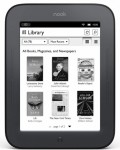
Nook Simple Touch (3) (2011)

2011/07/21 By staze

Over the past month I’ve been doing A LOT of reading on my iPad, and while it works great for reading, there are a few issues. One, battery life. If I’m reading pretty constantly during the day, the battery basically lasts the day (about 9-10 hours or so). The second issue, which I never really had until using it for book reading: weight. My iPad, in its case, weighs 832g (about 1.8lbs). That might not seem like a lot, but when you’re holding it for hours a day, it starts to get to you. The iPad 2 is lighter, but I have an iPad 1, and it’s just kinda heavy. It’s not a bad thing, but it does make a difference.

So, last week, I started looking at dedicated eReaders. The Kindle, even the new one, is a travesty of design. It’s awful. It’s big, it’s blocky, it has a hard keyboard, it has dedicated buttons, it’s just, bad. It’s better than the original one, but as an Instructor at work pondered: “At what point does the original design of something become a hinderance to future design?” Basically, was the original so bad, and the designers so unwilling to reset, that the Kindle (or whatever) will always suck. Also, Kindle doesn’t do ePub (which is what I have for the iPad). Anyway, then I looked at the Sony eReaders, and while they’re small, they just didn’t seem right. On the plus side, they are one of the only ones to have a backlight option, but in general, I don’t much care for Sony products (the Playstation(s) being exceptions). So then I remembered about the Nook. Looking online, I saw that B&N had released a new one (the Simple Touch), and it looked great! I headed for the store, and hile at the store, which B&N has obviously seen the writing on the wall, and changed the whole front of their store to be dedicated to the Nook products), a very helpful lady helped me and we had a discussion about why I wanted the Simple Touch vs the Nook Color (basically, because the Nook Color is a smaller iPad. I don’t need another LCD device). And they had the original Nook, but it’s bigger, the eInk isn’t as nice, and while I still think it’s better than the Kindle, it just didn’t appeal. A few hours later, and I was back home with one freshly purchased.

I won’t get into a lot of detail, because that’s already been done here, and here, but I’ll say this: it’s awesome. It weighs in at 210g (or about 1/4th the iPad), and eInk is really a LOT easier on the eyes. The idea of a viewing angle is kind of silly with eInk, in that it’s basically the same as paper. And they do a very nice job with refreshing the page, where it seems to only do a full refresh (the whole screen blanking and returning) whenever enough has changed between pages to warrant it. The Kindle and Sony readers seem to do a full refresh every page turn.

And then there’s battery life. On my iPad, like I said, I get about 9-10 hours. That, for me, means about 300-400 or so pages (I’m a fairly slow reader). My wife has been using the Nook since I bought it, and she’s read over 1200 pages, and the battery is still at 64% (so she should be able to get around 3500 pages per charge). That’s damn near amazing.

I’m all for combined devices. The iPad is a great device in that it does almost everything I could want from a portable computer/tablet. But just as I don’t want to be able to make phone calls on the iPad, I’m not sure I’d want to sit and read a huge book on it (I’ve done it, it’s fine, but it’s not great). The Nook does this amazingly well. And while I can’t browse the web, or read twitter, or whatever on it, it does books, news papers, etc EXTREMELY well. If I was still taking classes, I’d be more than happy to have text books on it. It’s a great little device, and while I didn’t really read any reviews of it until after buying it, I can say it’s damn near perfect. I wouldn’t be surprised if an Ex-Apple designer had a hand in designing it. It’s just extremely well done.

[xrr Rating=5/5]

Filed Under: Reviews Tagged With: eInk, ePub, Nook

« Previous Page
Next Page »

Weather

Categories / Archives

  • Apple
  • Coding
  • Electronics
  • Energy
  • Home Ownership
  • Miscellany
  • Politics
  • Prius
  • Sys Admin
  • Travel
  • Uncategorized
  • Work
  • June 2026
  • April 2026
  • August 2025
  • April 2025
  • January 2024
  • February 2021
  • July 2020
  • January 2020
  • April 2019
  • March 2018
  • February 2018
  • June 2017

Copyright © 2026 · Staze On Genesis Framework · WordPress · Log in