Everybody Staze...

Nobody leavz...

  • Home
  • About Me
    • LinkedIn
    • Lab
  • Contact
  • Links
  • Reviews
  • Sitemap
  • Weather
You are here: Home / Archives for HP

How to REALLY initialize the HD on an HP 9050

2011/08/11 By staze

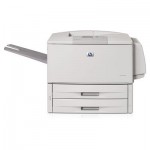
It seems HP’s documentation (here), as well as a lot of other documentation on the web (here, and here) is incorrect on how to initialize the HD on a Laserjet 9050. After beating my head against it for about 20 minutes this morning, I finally figured it out. So, here goes.

  1. Turn the damn thing off.
  2. Turn it on, and when the memory count starts, hold “Menu” (the big button on the left side of the control panel above “Stop”).
  3. All the LEDs should light up after the memory count stops. At this point, release “Menu” (Nothing will change on the LCD, it’ll just keep the memory count, and all three status LEDs will remain lit).
  4. Press the “Back” button (looks like a sideways “U-Turn” ( to the left of the “Go” (√) button, looks kind of like ↩) and you should see “Initialize Disks”
  5. Press “Go” (√) and the printer should continue booting
  6. Done.

Most of the HP documentation and other things I’ve found online indicate you should start pressing “Go” or “Menu” before turning on the printer. But this seems to tell the printer that the button has failed, and to ignore it. So, don’t press anything until the memory count starts.

That’s all there is to it. I happened to find an old EIO HD sled around, and put an old 20GB Fujitsu HD on it, and viola, instant printer storage. I had waited a while to install it for fear of it not working. But, everything seems good. =)

Good luck!

Filed Under: Sys Admin Tagged With: EIO, HP, J6073G, Laserjet 9050

HP LJ 9050 and the annoying 49.ff08 error

2009/10/19 By staze

This is a random note.

For months/years now, our primary student printer here at work has gotten random 49.ff08 errors that require removing the job from the print server, and cycling the power on the printer. We haven’t been able to find a cause, and firmware updates of both the JetDirect and Printer have resulted in no change.

So, last week, I got a 512MB stick of ram for the printer, installed it (replacing the 128MB OEM stick that was in there), and the issue has gone away. We haven’t had the problem in a about a week, which is a record.

Now, I’m not sure if this was due to the OEM stick being faulty, or 128MB not being enough memory for the jobs the printer was receiving, but all and all, I’m happy. After upgrading, I did find a place in the manual that says if you’re printing a lot of duplex jobs, or jobs on 11×17, then more than the stock 128MB is suggested. Wow, go figure, all we print are duplex jobs, and a lot of 11×17.

So, for anyone else that is having this problem, go buy more memory for your 9050 and give that a try.

Here’s the memory we used (from Provantage) : Kingston LJ9050/512

Filed Under: Miscellany Tagged With: 49.ff08, HP, Laserjet 9050, RAM

Weather

Categories / Archives

  • Apple
  • Coding
  • Electronics
  • Energy
  • Home Ownership
  • Miscellany
  • Politics
  • Prius
  • Sys Admin
  • Travel
  • Uncategorized
  • Work
  • June 2026
  • April 2026
  • August 2025
  • April 2025
  • January 2024
  • February 2021
  • July 2020
  • January 2020
  • April 2019
  • March 2018
  • February 2018
  • June 2017

Copyright © 2026 · Staze On Genesis Framework · WordPress · Log in