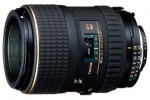
 My wife is a photographer. She’s been doing product photography for a local jewelry shop for a couple years now, and in the last year has gotten into “normal” photography as well. She’s attempting to start a business doing it, so to help with that, we purchased the Tokina 100mm f/2.8 Macro lens (Nikon Mount) for her to do product photography outside work, as well as a pretty good portrait lens (though admittedly, with a DX (APS-C) camera, it becomes 150mm and you have to stand pretty far from the person being photographed.
We purchased the lens from the local Shutterbug (an Oregon based, often found in the mall, camera shop). They price matched to B&H, Adorama, and Amazon (though they initially tried to add in the price of next day shipping). We did this largely because they were able to order the lens, and were willing to let us play with it before purchase. Buying online doesn’t have this advantage. It took almost exactly the quoted 3 weeks to arrive, but it did make it in time for a planned trip to Portland (which ironically has a camera store that stocks this lens (Pro Photo Supply).
Initial impression is quite good. The lens feels quite solid, has the classic Tokina AF/MF switch (pull the focus ring toward the camera for MF, push away to AF), which I find very intuitive and useful. While the lens does extend with focusing, it’s not obnoxious. With the hood on, however, the lens does become pretty darn long at full extension. One of the biggest advantages to the lens is the price. At $489, it’s a bit over half the cost of the Nikon 105mm Macro/Micro Lens. And while, yes, the Nikon focuses completely internally and has VR, as well a focus motor, none of these things really make it worth the price difference. Especially given macro photography rarely uses auto focus, and since it’s generally on a tripod, VR is nearly worthless. Oh, and weight. The Tokina weighs in at 19 oz, while the Nikon is over a half pound more at nearly 28 oz (27.9 oz). Focusing is pretty darn fast, and pretty quiet. Not sure what some others online have complained about.
There are more extensive reviews here, here, and here.
All and all, I’d highly recommend. While I can’t speak for whether a filter should be used or not (using a relatively inexpensive one currently, will probably switch to a 55mm Hoya HD in the coming months), I still prefer to use them since filters are “cheap” relative to replacing a lens.
[xrr rating=5/5]
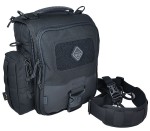 When I first saw this bag on
 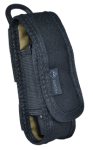 LA Police Gear said 4-6 weeks on their site, with no good way to ask. Calling Tactical Distributors gave me a wonderfully quick answer: that day! So I sat back, and waited until they were posted on the site, and ordered. I added a Hazard 4 Koala to the order as well (which ended up basically free with the 15% off coupon) that I’ll use to keep my Leatherman Charge XTi in each reach on my bag.
  Special Thanks to Tactical Distributors for their excellent customer service, great prices, and very fast shipping. $7 for next day shipping from Virginia is nothing to shake a stick at. While I didn’t get the bag discounted for review, I’m more than happy to pay for products to review if they’re cheaper than MSRP (which this was). Not only that, but I was able to call them after hours and get a tracking number (since UPS hadn’t sent me a Quantum View notice yet), and Rob happily looked up my order, and got me the number! I will definitely be dealing with Tactical Distributors in the future, as I’m guessing the work needed to outfit a bag for EDC is an evolving process. Right now, the Kato with a Koala works, but I may add a second Koala for a flashlight, or any number of other MOLLE pouches that add further customization/organization for my gear.
 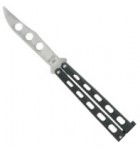 For years I’ve had a passing interest in “flipping” or playing with a balisong/butterfly knife. Living in Oregon all my life, I was well aware of Benchmade and their extremely high quality Balisongs. Alas, they’re also quite expensive, and they don’t make a trainer anymore. =(