Update 1: Got an email from the ABC manager asking what he could do to make it right, again stating their “We’re the only company to warranty our products for 2 years”, which, statistically, means nothing. I would imagine after looking at failure rates, they saw >80% of SLA batteries they source failed after 2 years, so there was no reason to not increase their warranty. Anyway, I responded that they could offer a discount on a new product, or at the very least, adjust their process so they’re not asking out of warranty customers to fill out an RMA form. I’ll post another update if I hear more…
Update 2: Okay, they’ve redeemed themselves. The manager that got ahold of me yesterday got back to me today and said he was shipping me a replacement today. He did apologize for rigamarole that I went through. So yes, the original post is moot. Thank you ABC for coming through on this.
Update 3: Got the battery. Interestingly, looks like it’s better built than the original. Thanks ABC!
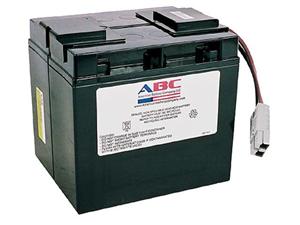
Just over two years ago, I purchased a replacement battery for my APC Smart-UPS 1400. I’d used ABC batteries in the past, and hadn’t really seen anything wrong with them (or right, they just worked). Over the weekend, however, the battery that was, quite literally, a month and a half past it’s 2 year warranty, triggered an alert that it needed to be replaced.
I contacted ABC, and they said they’d consider the warranty, and had me fill out an RMA request. At this point, I had already told them when it was purchased, and that it was less than 2 months outside warranty. So, I filled out the request, and expected something positive to come of it (at least the option for a discounted replacement purchase). Instead, an hour later, I got a reply from the same person that had told me to fill out the RMA request, that they wouldn’t be able to help me. So, why the hell did they have me fill out the RMA request?
Needless to say, I have a very thin tolerance for shitty customer service (see some previous posts). When there are probably a solid dozen non-OEM battery companies out there wanting to get my business, why should I keep giving it to a company that doesn’t back their product when it fails JUST outside warranty, and doesn’t give any recourse, at all. I think Tommy Boy summed up this experience pretty well.
So, ABC is no longer someone I will be able to recommend, nor will I do business with them again.
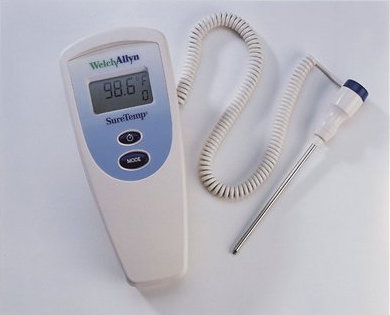 When my son was “on the way” we went looking to buy a thermometer since we knew we’d need one. Being a geek, I looked on eBay and found a hospital/clinic grade WelchAllyn SureTemp. It was an older model, but seemed to be in good shape, and I got it for pretty cheap (like $30). It came with the Oral/Aux probe, but didn’t come with the wall holder, which is a slight issue, as I’ll find.
 For years I’ve had a bit of an OCD moment every time I leave the house and think “Did I close the garage door?”. So, if I don’t actually look back at the house, and say out loud “Garage door is closed”, I will often turn around a few blocks later, come back, confirm that I did close it, then go on my way. It’s basically the same as “Did I turn the stove off”, but I’ve never had that concern, so it’s manifested in garage door concerns.