In December (on the 31st to be exact), I purchased a Drobo for myself to replace a home grown RAID I’d been using for years. The original RAID was a big SCSI enclosure that was built to hold 8 5.25″ drives, with a locking front. I had purchased a FW800 bridgeboard that supported 4 PATA (IDE) drives and was using 3 drives in JBOD. Gave me about 1TB of storage (2 300GB drives, and a 400GB drive). Overall, it worked well, but it was approaching 5 years old, and there was no redundancy at all with the data. And while none of the data was critical, it would have sucked had a lost it.
So, after much research, and a lot of doubting, I bit the bullet, and purchased a standard Drobo Gen 2 (FW800, and USB2 connectivity. Holds 4 3.5″ SATA drives). I couldn’t justify the price increase it would have cost to buy the Drobo S.
Along with the Drobo, I purchased 2 1.5TB WD “Green” drives. They’re 5900rpm drives, but they didn’t need to be really speedy since I wasn’t using them as primary storage for anything. They basically host movies and music for use around the house.
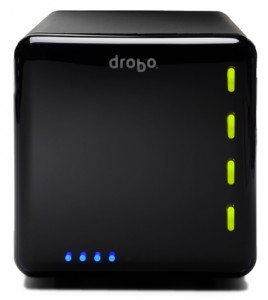
Once I received the Drobo, I popped the two drives in, and hooked it up to my server. Within a few minutes, everything was online, and it was up and working. At the time, my “server” was an old Powerbook G4, which seemed to have a flakey FW800 port (was seeing errors occasionally in the system.log with the FW800 cable supplied with the Drobo). Thinking it was the cable, I switched to a FW800 cable I had that had ferrites on both ends. This eliminated the errors (I have since tested the cable that came with the Drobo, and it works fine… just seems the FW800 port on the Powerbook was overly susceptible to EMI). I copied everything from my old enclosure to the Drobo, and it’s been working great since.
The unit is silent when the fan isn’t running. And when it is running, it’s not very loud at all (it’s a 120mm fan in the back). It seems to run during heavy access, and most likely is tied to the SMART temps reported by the drives. I’m sure if I had 4 drives installed, the fan would run more often, but the drives never heat up (touching the front of them with a knuckle never has them feel anything but room temp). But, as I said, I’m never heavily using them (not using them as video swap, or anything like that).
How does it perform?
Bonnie++ Results:
server.example.com 8G,,,26859,5,16138,2,,,42881,3,63.9,0,16,2302,18,+++++,+++,
2004,11,113,0,+++++,+++,48,0
So, I get about 27MB/sec write, and 43MB/sec read. And about 64 iops. While not great (the internal drives on my server get 59MB/sec write, and 110MB/sec read, and 212 iops), it again, isn’t about mass speed with this. I basically use it to server media to machines around the house.
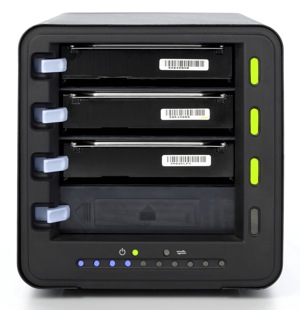 So what does this all mean? It means if you’re looking for a fast, high performance external RAID array, you should probably look more at something like the Promise NS4600, which does a real RAID5, or RAID10. 4 2TB drives, and you’d have a pretty sweet array that could be used for FCP scratch when doing HD video. But, the Drobo will work perfectly fine with these numbers for SD video (which is 25mbs, or about 3MB/sec).
I really like the Drobo. It works great, and I like the fact that in the next couple months, when it fills up, I can just buy another drive, plop it in, and I’ll suddenly have more space (space is calculated as the combined storage of all drives installed, minus the size of the largest drive). So, if I buy another 1.5TB, I’d get another 1.5TB. If I bought a 2TB, I’d only gain 1.5TB (because the 2TB would then become the “redundancy” drive).
Add to that the fact that I haven’t had to deal with the Drobo AT ALL since I set it up, and we have something that’s really quite serviceable, and extremely useful. I deal with IT related stuff every day, and I don’t really want to come home to my array having failed, and struggle to get it back online. Now, it could be the Drobo fails at some point, and because of it’s proprietary format, I can’t get it back online without the help of Drobo support, but, so far, it couldn’t be simpler.
The only downside that I can see, is when you format the array, you say how big it should be. This allows for future expansion of the volume. In my case, I told it to be 16TB (so I could expand it as much as possible). But, the OS always sees it as 16TB. I would think it would be possible for the Drobo software to override this size, and give the OS a real size. But, maybe at some point that will happen.
[xrr rating=9/10] It’s a solid product, and it’s well worth the money simply for it’s simplicity, functionality, and diversity.
Links:
Drobo: http://www.drobo.com/products/drobo.php
Bonnie++ : http://www.coker.com.au/bonnie++/