Everybody Staze...

Nobody leavz...

  • Home
  • About Me
    • LinkedIn
    • Lab
  • Contact
  • Links
  • Reviews
  • Sitemap
  • Weather
You are here: Home / Archives for Mac Mini

“Server” is a concept, part 2: Redundancy

2011/11/01 By staze

A while back, I wrote about the announcement of Mac OS X 10.7 (Lion), and how people were freaking out about it being dumbed down with regards to the Server OS (or the possibility that there would be no Server version). Today (and yesterday), a rumor has been going around that Apple is thinking about killing the Mac Pro, and how everyone is freaked out that there’s no alternative for “pro”. Which then brought out the FUDtards again to talk about how sad they are that the Xserve was killed, and how the Mini Server isn’t a real server, etc. Which brings us to part 2 of my “Server is a concept, not hardware or software”. Or more specifically, “Redundancy shouldn’t be only at the system level”.

I won’t rehash what I’ve already said, but I will touch a bit on the hardware argument since it came up. Someone brought up that the Mini Server should have (for redundancy/resiliency):

  • Dual power
  • Dual Thunderbolt
  • ECC RAM

I won’t argue too much with the ECC RAM, since it would be a relatively easy thing to do (though ECC RAM can’t correct for BIG errors, so it’s not really the amazing thing people say it is, plus it tends to be slower), but the other two, I will argue a bit with, and they both are basically the same argument.
[Read more…]
Filed Under: Sys Admin Tagged With: Mac Mini, Redundancy

Storage Performance Geekout

2011/01/11 By staze

This is a rather huge geekout, so if you’re not into drive performance on various machines, feel free to ignore this post. =) It’s original goal was to look at the performance difference between a 2009 Mac Mini, 2009 Mac Mini Server, and 2010 Mac Mini Server. It then grew to be “Let’s compare all the storage I have in my rack”.

In this, I’m going to be comparing the results from 5 different machines. They are:

  • Early 2009 Mac Mini (4GB RAM), single 320GB 5400 RPM Drive (Model: Fujitsu MHZ2120BH G1)
  • Late 2009 Mac Mini Server (4GB RAM), dual 500GB 5400 RPM Drives (Model: Hitachi HTS545050B9SA02) (RAID1)
  • Xserve 2009 (12GB RAM), dual 160GB 7200 RPM Drives (Model: WDC WD1602ABJS-43P5A0) (RAID1), and single 160GB 7200 RPM Drive (Model: WDC WD1602ABJS-43P5A0)
  • Mid-2010 Mac Mini Server (4GB RAM), dual 500GB 7200 RPM Drives (Model: Hitachi HTS725050A9A362) (In both single, and RAID1 configuration)
  • And for fun, Xserve 2009 (12GB RAM), Xsan 2.2.1 on 3 LUN (6 drive RAID5) Xserve RAID Data, single LUN (2 Drive RAID1) Xserve RAID Metadata.
  • For extra fun, Dell 2850 (5GB RAM), 6 72GB 15,000 RPM Drives (Model: Fujitsu MAX3073NC) in RAID10 (3 RAID1’s striped together).

All stats were created with bonnie++ 1.03d (1.03e will not build on 10.6.5 due to lack of support for O_DIRECT). All tests will include the bonnie++ parameters, as well as the results. The purpose of these tests is largely to see how various setups compare, and was largely prompted because of Splunk performance on various drive configurations. Splunk is largely reliant on Disk IO (IOPS mainly). Sadly I have no ability to test SSD performance. Perhaps at some point in the future. Please note, the graph below, is in logarithmic scale, so check out the labels for each bar, rather than looking at relative size (unless you think logarithmically).

[Read more…]

Filed Under: Sys Admin Tagged With: bonnie++, Dell 2850, Drobo, Mac Mini, Xsan, Xserve

Mac Mini Server

2010/03/10 By staze

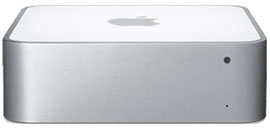
Mac Mini ServerIn late January, I was able to upgrade my server to a Mac Mini Server. This is a pretty sweet little box. 2 500GB HDs, 4GB of ram, Intel C2D 2.53ghz. No optical drive, but that’s fine with me, since you can use remote drive, or purchase one of the USB optical drives for the MacBook Air.

Initial setup was quite easy, once I found a copy of “Remote Install” to run on my PowerMac G5. This utility is basically “NetBoot” in an extremely simple interface. It allows the Mini Server to netboot the install DVD. I then changed the HDs to be in a RAID1, and installed 10.6. That took a bit, but other than that, it was quite painless.

bonnie++ reports look like:
/usr/local/sbin/bonnie++ -d / -s 8G -u root:wheel -qfb
server.example.com,8G,,,58807,12,27984,5,,,110101,8,212.3,0,16,12352,59,+++++,+++,
8137,47,543,5,+++++,+++,231,3

Which, isn’t bad at all for dual 5200rpm drives. The machine shipped with two Hitachi HTS545050B9SA02.

Upgrading from the previous server (a Powerbook G4, 1.67ghz, 2GB of RAM, and a single 80GB HD) to this new machine was, to put it simply, breathtaking. The average load on this new machine is consistently less than 0.05, yet on the old PB, it was often upwards of 0.50. So, by that regard, about 10x the performance (realistically, probably more like 6-8x as fast). =) Also, there is a noticeable improvement in performance of the Drobo. I’m pretty sure the FW800 port on the Powerbook is flakey. Added bonus is the 64-bit nature of the new machine… which is really quite nice (really the main time I’ve encountered it is playing with bigint’s in PHP). Also means I can upgrade the ram to 8GB when the prices come down on DDR3 SO-DIMMs.

Add to that the fact that I can now run 10.6, and am not suck with the PPC OS’s, it’s great.

The only thing Apple could have done better? Remove the Mini-DVI port and add a second gig-E port. If they did that, I could probably start using these things at work rather than Xserves. =) Especially if I had an iSCSI SAN.

The machine is very quite. I can only hear the HD’s access occasionally. The fan is near silent. The Mini really is one of the greatest computers Apple has ever designed/made. Other than the dumb single RAM slot the PPC mini’s had, they all have been great machines. I still have a 1st Generation Mac Mini running strong (1.25ghz G4, 1GB RAM, single 80GB HD, 10.5.8 client) at work (it runs Intermapper to monitor various devices around the building. Works great).

Only changes would be the second gig-E port, and it would be sweet if you could buy without the OS (if this was for work, I wouldn’t need even MORE copies of 10.6 (already have spares)). I’d give it a full 10, but I can’t think of anything that’s perfect. =)

[xrr rating=9/10]

If you have any questions, please feel free to leave a comment.

*Image lifted from Apple website.

Filed Under: Reviews Tagged With: 10.6, Apple, Mac Mini

Next Page »

Weather

Categories / Archives

  • Apple
  • Coding
  • Electronics
  • Energy
  • Home Ownership
  • Miscellany
  • Politics
  • Prius
  • Sys Admin
  • Travel
  • Uncategorized
  • Work
  • June 2026
  • April 2026
  • August 2025
  • April 2025
  • January 2024
  • February 2021
  • July 2020
  • January 2020
  • April 2019
  • March 2018
  • February 2018
  • June 2017

Copyright © 2026 · Staze On Genesis Framework · WordPress · Log in