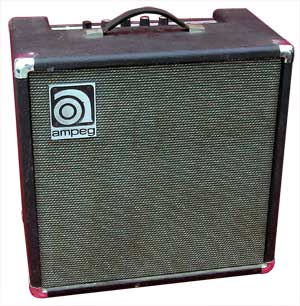
 My dad recently dropped off his guitar amp, an Ampeg B-80N from the late 70’s or early 80’s, for repair saying that it wasn’t working. It was behaving oddly, then just stopped working one day. Figuring it should be easy to fix, I gladly said I would take a look. First thing was obviously pulling it apart and seeing if anything obvious was wrong. The trick to taking these apart is to remove the speaker grill, then the 9 screws that hold the speaker on, drop it down and unplug the spade connectors on the driver. Then unscrew the amp on the back, and pull it straight off, and then pull the speaker wire out of the hole that it threads through down to the sound box. Make sure to note which lug plugs into which spade on the speaker, btw. I just snapped a quick picture with my phone.
Anyway, pulling the amp, there was nothing obvious wrong other than being a rather old design of a, I believe, class AB amp. It uses a diode pair (STV4H) to bias the output transistors, and unfortunately, that diode pair is at this point, unobtanium unless you want to spend $60 on ebay.
Okay, anywho, after the initial look, I contacted Ampeg (or rather, loudtechinc) to get the schematics, and manual for the amp. Sadly, they don’t post schematics on their site like Fender, but if you contact them, you can ask, and they’ll send you back an indemnity clause that you agree to not electrocute yourself, then they’ll send you the info. Took about 2 business days to get the schematics ((btw, I find these old schematics funny given they use the old symbol for polarized capacitors)).
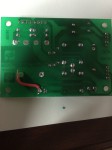 I just received an Apache AL13P laminator I purchased off eBay (for doing toner transfer PCBs), as not working, for $15 with $15 shipping (so, $30 vs a new one for $90 from Amazon). Listing said the motor worked, but the controls didn’t. Figured it would be something easy.
 So, I am not an Electrical Engineer. I didn’t go to school for EE (I have a Political Science degree), and electronics have really only been a recent edition to my life (last year or so). Anyway, I’ve been working on a project that needs a PCB created for it (I just don’t want to hand wire it all, and have it be a rats nest). Anyway, being a fan of Open Source, I started this task first by trying