 Time was that mail management for me, was a nightmare. My inbox was between 1-2k messages, and while I sorted my mailing list traffic, everything else that came into my inbox was read, and then left there. It was a losing battle, and everyone else I’ve seen at work does the same thing. There are faculty at work that have 10k+ messages in their inbox, and at least 1k of those are unread. How on earth do they function? Answer: They largely don’t. They miss emails from students, colleagues, etc.
So, a few years back, I picked up an EXCELLENT book called Time Management for System Administrators (review). While the whole book is great, and I’ve changed a lot of how I work from this book, one of the biggest changes has been my email management. And all it took was one day.
After a friend made a comment about switching to “Inbox Zero“, I decided to bite the bullet and do it. So, I took everything in my inbox, and threw it in another IMAP folder (which I came back to a month or two later to sort/delete). My inbox was then completely empty. Then, each time I checked my email, and had something new, I either acted on it and filed it, filed it, or deleted it (I delete very little email unless it’s advertisements). Now email isn’t a “to do” list. You shouldn’t just leave stuff in your inbox to remind you to do things long term, as that will cause “Inbox Zero” to fail (if your list gets too long). But, I don’t think there’s any harm in leaving short term “reminders” in your inbox.
I made the switch to “Inbox Zero” over 4 years ago. In that time, I’ve missed less than half a dozen emails (realistically, I think it’s been 3, or less than 1 per year). Every day, I try to leave my inbox at 10 items or less. Often many of the emails in my inbox are emails I send to myself with interesting links I’ve found on my iPhone/iPad, which I then file after looking at them again in detail. Most people look at the idea and just shrug it off as too much work, or daunting. It really isn’t, and just takes that initial “I’m going to do this” to start them on the path. I know it sounds like some type of religious conversion, and in some ways it is. It’ll change how you look at email. Email will go from “Oh god, look at all this” to “one at a time, there’s only 10 of them”.
Give it a try. I guarantee ((As much as my guarantee is actually worth)) you won’t regret it. I haven’t looked back in more than 4 years, and I often give my friend snarky comments when he brags about how he’s down to 20-25 emails (which, for him as middle management at a major corporation, is damn impressive) about how I’m at 2 or 3 emails. =)
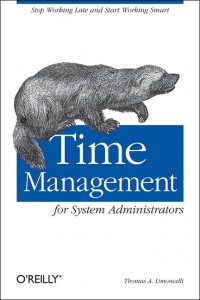 Title: Time management for System Administrators