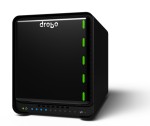
 For the last year I’ve had a Drobo 5D on my desk hooked to my Mac Pro. I’ve loved the unit as it’s fast, and so far, extremely reliable. I have it connected to the Mac Pro via Thunderbolt, on bus 1 ((Don’t get me started on the Thunderbolt buses on the Mac Pro. I had to move stuff around several times to get one of my monitors to NOT randomly go black now and then)). When I initially purchased the unit, I didn’t have the SSD cache installed, and had 4 2TB Western Digital (WD) Black drives in it (giving me 6TB of usable storage). The only problem I had with it was the 7200RPM drives caused a bit of vibration, so occasionally it would make noise, or anytime something was touching the body of the Drobo, it would cause a rattling. But the performance was excellent (significantly faster than my Drobo 4-bay 2nd Generation at home).
Since buying it, however, I’ve done two things. First, I purchased a Crucial 128GB mSATA SSD for it’s cache, which boosted the performance another 25% or so, and just yesterday, I upgraded to 3x WD 4TB Red drives. The biggest advantage of that being TLER support, as well as drive speed/balance. The Drobo is now “silent”, and there is no physical vibration to the enclosure at all (gotta say, I love the “Red” drives). While the spindle speed is slower ((WD doesn’t actually advertise their speed, but it has been deduced to be 5,400RPM)), the platter density is higher. This should largely even out transfer speed changes with larger files, which was evident in my data restore once I had swapped all the drives ((Tidbit: The 5D is “smart” in that if you are replacing all the drives at once, it will come up in an error state if you pull all the old hard drives out, and put in new HD’s. You have to then “reset” it to get it to recognize the new drives. This is interesting because my 2nd generation 4-bay never did this)). If you’re upgrading drives, doing a backup/restore is going to be significantly faster than swapping one drive at a time (which the Drobo will let you do, but each rebuild will probably take 24 hours to complete if you have a significantly sized volume).
Actual read/write performance on the unit is pretty good. With sequential read/writes at 145MB/sec both ways. My 4-bay 2nd generation scored about 25MB/sec each way. Random access is not based on throughput so much as IOPs. Sadly, it scores only about 100/sec in that space, but that’s not bad for a Drobo, since my old 2nd generation only scored 50/sec.
All and all, I’m very happy with the 5D. While the price point is a bit high, it really is a great external storage device. If you can afford it, I’d highly recommend it.
[xrr rating=5/5]
Update: I contacted Drobo a few days ago asking about a review unit of the new 4-bay, and sadly, heard nothing back. As “luck” would have it, though, Adorama had a sale for one for about $70 off street price, so I purchased one to upgrade my home 2nd generation Drobo. I’ll be posting a review of that new unit once I have it, and move my drives over. =)
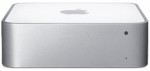 Back in July 2011 one of the stock Western Digital HD’s in my 2009 Mac Mini Server went out, so I bit the bullet and purchased two new Western Digital Scopio Blacks (both 500GB), and RAID1’d them together. Fast forward to a couple weeks ago, and my RAID goes offline. I run several days of block checking, and find that the upper drive has gone out (which, I’ll get replaced by WD, but at this point, I’m looking to replace both drives… and I generally don’t trust refurbished drives). Anyway, figuring two new 500GB drives would cost about $100, I started looking at alternatives, and quickly found the Crucial M500 240GB SSD for $140 through Amazon. I then wouldn’t RAID drives together, I would just put OS/Services on the SSD, then use the still functional 500GB Western Digital drive as storage for larger files (downloads, backups, etc).