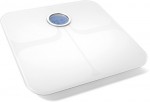
 Being, obviously, a Fitbit fan, I picked up a Fitbit Aria a bit ago to track my (and the rest of my family’s) weight. I had been waiting patiently for them to update the Aria to support something a bit more modern than 802.11b, but sadly, that didn’t seem to be in the cards given their lack of response on the forums to requests for such functionality.
The scale itself feels and looks very nice. The top is glass, and the screen is easy to read at any distance. Unlike my previous scale, you don’t tap it to wake it up, but rather just stand on it and it takes your weight. Setup consists of powering the unit on with 4 AA batteries, and then running an application on your computer (I believe you can also use the phone app, but I haven’t tried) that finds the wifi network being broadcast from the scale, then telling the scale to join your home network, and to associate with your Fitbit account. Once that’s done, when you weigh yourself, it will say weight, figure out your body fat (assuming you’re not wearing socks or shoes), and then generally figure out which account the weight belongs to. If someone new steps on the scale, it assigns that weight to a “guest” which you’ll be able to see on your fitbit account as “guest” and be able to assign them to either another user ((at which point it generally hides the weight unless the user has decided to share their weight)) or yourself (or just delete the measurement). You can invite others to use the scale (up to 8 total users), though I have found you have to use their actual fitbit email account. If you use an alternate account, the fitbit invite accept never seems to work. So, I’ve since added my wife, and my son to the scale ((interestingly, even though I can’t put in my 21 month old son’s weight into the Fitbit app as what it actually is (claims it’s invalid), the scale can weigh him and that does get put into his profile accurately)).
Now, the bad part. It seems that Fitbit had a bad run of these scales in the 2014’s. Judging from some online research, it seems to be a problem caused by sloppy wire routing at the factory. Looking on their forums, it seems Fitbit has been really good (as usual) at replacing malfunctioning scales and since the early 2015’s, the issue seems to have been resolved for most people getting replacement units. Mine started exhibiting this issue relatively recently, and after talking back and forth with Fitbit’s Aria support, they agreed the unit was defective, and would get me a new one (even though I no longer had the receipt). I don’t have to send the defective unit back, so I hope to attempt to repair it after the new unit arives. My hope is that I can use a couple scrap cat5e cables, or maybe some phone cable to replace the wiring, and provide some extra protection for the wiring. An initial opening of the unit (which I did after getting notice they’d be replacing the unit) didn’t show anything horribly broken, but it still does occasionally wake up on it’s own, or error out during weighing. =/
That aside, and assuming the new unit works as expected, I would definitely recommend buying one to anyone that asked… although I’m still hoping they update the unit to support at least 802.11g, if not 802.11n. That said, the unit is only really on the network once it’s powered on, so the fact it’s 802.11b isn’t THAT big of a deal. =/
[xrr rating=4.5/5]
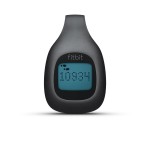 I recently picked up a Fitbit Zip at a Radioshack store closing for a heck of a good deal with the idea of giving it to my 2 year old son to see just how many steps his short legs make in a day. Obviously he didn’t need a One, or a wrist band style Fitbit, so the Zip seemed perfect. It still clips to clothing, and the battery reportedly lasts about 6 months (a CR2025, I believe), and best of all, it syncs over BLE (Bluetooth Low Energy). In the first few days I had the unit, it counted well over 8,000-10,000 steps a day (often beating both my wife and myself). The only issue I found was that it didn’t Sync quite as reliably as the Fitbit One. It seems that in order to get the 6 month battery life, they have the unit go into standby after a bit of inactivity. So during the night, when we’d remove the Fitbit from his clothes, it wouldn’t sync. I had to actually place the unit much closer to the receiver to get it to sync during the night (I’d just leave it on my desk which is where the receiver is). Other than that issue (which will come back) the unit is great. It’s small, does a good job, and we loved it.
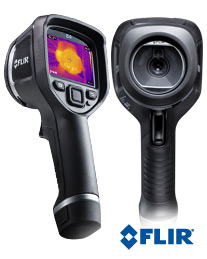 I know I’m late to the Thermal Imaging Camera (TIC) party, but I just recently picked up a Flir e4 off eBay for a steal (about half price) from a seller that clearly didn’t realize what they had ((I say that because the unit had firmware 1.19.8, which is supremely hackable, and goes on eBay now for at least a $500 premium)). The unit arrived and although the battery was mostly dead, it fired right up, and worked great. I’m not going to go into too many review points since it’s been reviewed