Everybody Staze...

Nobody leavz...

  • Home
  • About Me
    • LinkedIn
    • Lab
  • Contact
  • Links
  • Reviews
  • Sitemap
  • Weather
You are here: Home / Archives for Reviews

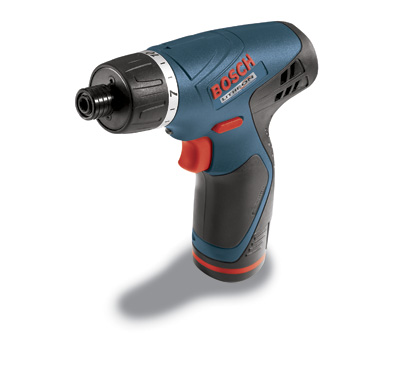
Bosch 10.8v Pocket Driver (PS20-2)

2010/04/18 By staze

This review will be fairly short, as I purchased my PS20 a couple years ago now.

Having had several “electric screwdrivers” in my life, I’d never been all that happy with them. Usually their battery only lasted for a couple tasks, they didn’t have much torque, they were uncomfortable to use, etc.

I’ve always been forced to turn to my power drill when it came to a real task, but it’s heavy, and often seems TOO powerful, as I’ve broken many a screw with it.

However, when I first saw ads a few years ago for the Skil iXO2, I started looking again, as it seemed some energy was flowing from manufacturers other than Black & Decker, and other cheap tool makers. Researching the Ixo2 revealed that Skil was the “consumer” brand of Bosch, and that I should look at the PS20-2 that had just come out. The big advantage over the iXO2 was the torque settings, replaceable Li-Ion battery, and overall robustness (really, the iXO2 would be fine for odds and ends around the house, or even for me at work when doing rack mount installs). So, I “ran” over to my local hardware “big box” store (Jerry’s Home Improvement), and found it for $90, which was $30 off at the time. After feeling the weight, and looking at the features, I picked it up, and honestly, it’s been one of the few “impulse buys” I’ve never regretted in the least.
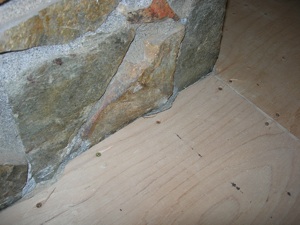
I initially used it for odds and ends tasks, and it always worked great. But it REALLY came into it’s own when my wife and I installed hardwood flooring. When we installed hardwood, we had to rip up the particle board that was under the carpet, and replace it with 3/4″ plywood. While the PS20 didn’t help with ripping up the particle board (a horrible task given the thousands of staples Tara largely removed on her own during the day), it helped a great deal when we installed the plywood. Installing it required screwing it down around the perimeter every 6″, and 12″ in the field. So, all told, a 4′ x 8′ sheet of plywood took about 44 screws around the perimeter, and 24 in the field, so about 68 1.5″ screws each. The PS20 basically would do 1.5-2 sheets per battery, and the other battery would charge in about the time it took to cut, and install the sheet(s) with the other battery. All and all, she probably used it for about 50 hours over about 10 days.

While they have replaced the 10.8v PS20-2 with the new 12v PS20-2A, I can say the 10.8v is extremely serviceable, and works great for any project I’ve worked on that requires a lot of “driving”. I used it quite a bit yesterday when I did the headlight replacement on my car.

[xrr rating=5/5] It’s really, a perfect tool. I have no complaints at all.

Link to Product information: Bosch 10.8v Pocket Driver (PS20-2)
Filed Under: Reviews Tagged With: Bosch, PS20-2

Drobo Review

2010/04/15 By staze

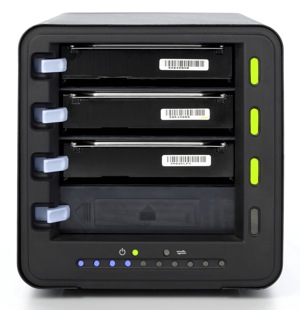
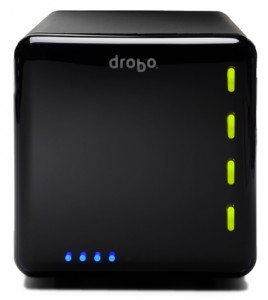
In December (on the 31st to be exact), I purchased a Drobo for myself to replace a home grown RAID I’d been using for years. The original RAID was a big SCSI enclosure that was built to hold 8 5.25″ drives, with a locking front. I had purchased a FW800 bridgeboard that supported 4 PATA (IDE) drives and was using 3 drives in JBOD. Gave me about 1TB of storage (2 300GB drives, and a 400GB drive). Overall, it worked well, but it was approaching 5 years old, and there was no redundancy at all with the data. And while none of the data was critical, it would have sucked had a lost it.

So, after much research, and a lot of doubting, I bit the bullet, and purchased a standard Drobo Gen 2 (FW800, and USB2 connectivity. Holds 4 3.5″ SATA drives). I couldn’t justify the price increase it would have cost to buy the Drobo S.

Along with the Drobo, I purchased 2 1.5TB WD “Green” drives. They’re 5900rpm drives, but they didn’t need to be really speedy since I wasn’t using them as primary storage for anything. They basically host movies and music for use around the house.

Once I received the Drobo, I popped the two drives in, and hooked it up to my server. Within a few minutes, everything was online, and it was up and working. At the time, my “server” was an old Powerbook G4, which seemed to have a flakey FW800 port (was seeing errors occasionally in the system.log with the FW800 cable supplied with the Drobo). Thinking it was the cable, I switched to a FW800 cable I had that had ferrites on both ends. This eliminated the errors (I have since tested the cable that came with the Drobo, and it works fine… just seems the FW800 port on the Powerbook was overly susceptible to EMI). I copied everything from my old enclosure to the Drobo, and it’s been working great since.

The unit is silent when the fan isn’t running. And when it is running, it’s not very loud at all (it’s a 120mm fan in the back). It seems to run during heavy access, and most likely is tied to the SMART temps reported by the drives. I’m sure if I had 4 drives installed, the fan would run more often, but the drives never heat up (touching the front of them with a knuckle never has them feel anything but room temp). But, as I said, I’m never heavily using them (not using them as video swap, or anything like that).

How does it perform?

Bonnie++ Results:

server.example.com 8G,,,26859,5,16138,2,,,42881,3,63.9,0,16,2302,18,+++++,+++,
2004,11,113,0,+++++,+++,48,0

So, I get about 27MB/sec write, and 43MB/sec read. And about 64 iops. While not great (the internal drives on my server get 59MB/sec write, and 110MB/sec read, and 212 iops), it again, isn’t about mass speed with this. I basically use it to server media to machines around the house.

So what does this all mean? It means if you’re looking for a fast, high performance external RAID array, you should probably look more at something like the Promise NS4600, which does a real RAID5, or RAID10. 4 2TB drives, and you’d have a pretty sweet array that could be used for FCP scratch when doing HD video. But, the Drobo will work perfectly fine with these numbers for SD video (which is 25mbs, or about 3MB/sec).

I really like the Drobo. It works great, and I like the fact that in the next couple months, when it fills up, I can just buy another drive, plop it in, and I’ll suddenly have more space (space is calculated as the combined storage of all drives installed, minus the size of the largest drive). So, if I buy another 1.5TB, I’d get another 1.5TB. If I bought a 2TB, I’d only gain 1.5TB (because the 2TB would then become the “redundancy” drive).

Add to that the fact that I haven’t had to deal with the Drobo AT ALL since I set it up, and we have something that’s really quite serviceable, and extremely useful. I deal with IT related stuff every day, and I don’t really want to come home to my array having failed, and struggle to get it back online. Now, it could be the Drobo fails at some point, and because of it’s proprietary format, I can’t get it back online without the help of Drobo support, but, so far, it couldn’t be simpler.

The only downside that I can see, is when you format the array, you say how big it should be. This allows for future expansion of the volume. In my case, I told it to be 16TB (so I could expand it as much as possible). But, the OS always sees it as 16TB. I would think it would be possible for the Drobo software to override this size, and give the OS a real size. But, maybe at some point that will happen.

[xrr rating=9/10] It’s a solid product, and it’s well worth the money simply for it’s simplicity, functionality, and diversity.

Links:
Drobo: http://www.drobo.com/products/drobo.php
Bonnie++ : http://www.coker.com.au/bonnie++/

Filed Under: Reviews Tagged With: bonnie++, Drobo

Mac Mini Server

2010/03/10 By staze

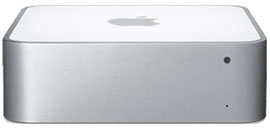
Mac Mini ServerIn late January, I was able to upgrade my server to a Mac Mini Server. This is a pretty sweet little box. 2 500GB HDs, 4GB of ram, Intel C2D 2.53ghz. No optical drive, but that’s fine with me, since you can use remote drive, or purchase one of the USB optical drives for the MacBook Air.

Initial setup was quite easy, once I found a copy of “Remote Install” to run on my PowerMac G5. This utility is basically “NetBoot” in an extremely simple interface. It allows the Mini Server to netboot the install DVD. I then changed the HDs to be in a RAID1, and installed 10.6. That took a bit, but other than that, it was quite painless.

bonnie++ reports look like:
/usr/local/sbin/bonnie++ -d / -s 8G -u root:wheel -qfb
server.example.com,8G,,,58807,12,27984,5,,,110101,8,212.3,0,16,12352,59,+++++,+++,
8137,47,543,5,+++++,+++,231,3

Which, isn’t bad at all for dual 5200rpm drives. The machine shipped with two Hitachi HTS545050B9SA02.

Upgrading from the previous server (a Powerbook G4, 1.67ghz, 2GB of RAM, and a single 80GB HD) to this new machine was, to put it simply, breathtaking. The average load on this new machine is consistently less than 0.05, yet on the old PB, it was often upwards of 0.50. So, by that regard, about 10x the performance (realistically, probably more like 6-8x as fast). =) Also, there is a noticeable improvement in performance of the Drobo. I’m pretty sure the FW800 port on the Powerbook is flakey. Added bonus is the 64-bit nature of the new machine… which is really quite nice (really the main time I’ve encountered it is playing with bigint’s in PHP). Also means I can upgrade the ram to 8GB when the prices come down on DDR3 SO-DIMMs.

Add to that the fact that I can now run 10.6, and am not suck with the PPC OS’s, it’s great.

The only thing Apple could have done better? Remove the Mini-DVI port and add a second gig-E port. If they did that, I could probably start using these things at work rather than Xserves. =) Especially if I had an iSCSI SAN.

The machine is very quite. I can only hear the HD’s access occasionally. The fan is near silent. The Mini really is one of the greatest computers Apple has ever designed/made. Other than the dumb single RAM slot the PPC mini’s had, they all have been great machines. I still have a 1st Generation Mac Mini running strong (1.25ghz G4, 1GB RAM, single 80GB HD, 10.5.8 client) at work (it runs Intermapper to monitor various devices around the building. Works great).

Only changes would be the second gig-E port, and it would be sweet if you could buy without the OS (if this was for work, I wouldn’t need even MORE copies of 10.6 (already have spares)). I’d give it a full 10, but I can’t think of anything that’s perfect. =)

[xrr rating=9/10]

If you have any questions, please feel free to leave a comment.

*Image lifted from Apple website.

Filed Under: Reviews Tagged With: 10.6, Apple, Mac Mini

« Previous Page
Next Page »

Weather

Categories / Archives

  • Apple
  • Coding
  • Electronics
  • Energy
  • Home Ownership
  • Miscellany
  • Politics
  • Prius
  • Sys Admin
  • Travel
  • Uncategorized
  • Work
  • April 2026
  • August 2025
  • April 2025
  • January 2024
  • February 2021
  • July 2020
  • January 2020
  • April 2019
  • March 2018
  • February 2018
  • June 2017
  • February 2017

Copyright © 2026 · Staze On Genesis Framework · WordPress · Log in