Archive

Archive for the ‘Weather’ Category

Busy weekend…

April 19th, 2009 staze No comments

Last weekend Tara’s family came down for Easter. It was pretty fun, but it was a lot of people in the house (9), that all stayed the night. Got to show Tara’s uncle, the hobby carpenter (a very talented one who basically completely built their house). He was quite impressed with our flooring and tiling jobs. Everyone else was impressed by the tile as well as our new pots and pans. Yes, we bought about $500 in new pots and pans that would be over $1000 retail. They’re very nice.

We had to put a bed in the office, an inflatable in the living room, and have someone on the couch to make room for everyone. Lot of people! Dinner was great, though, one of the nights we had mashed potatoes with spinach in them. I love spinach, and I love mashed potatoes, but putting them together, not great. You couldn’t taste the spinach, but you certainly got the texture. Not great. =/

Since then, we’ve been trying to keep the house clean, and doing yard work, etc. It’s been nice the past couple days, so we got a bunch of weeding done (Tara did all of that), planted some roses (that actually happened before Tara’s family came), planted a kiwi in the back, moved a blueberry, pulled up a dead Dogwood, and an ugly Mock Orange, mowed the lawns, etc. Tomorrow and Tuesday are supposed to be in the 70’s to 80’s again, so that will be nice to get some more sun, and get some more things done.

The garage needs cleaning as well, and I hope to get my radiation shield for my weather station completed tomorrow.

On the other side, and this is mainly for my own memory: one of the 3 plumeria cuttings that Tara brought back from Hawaii in January 2009 survived. The other two both got stem rot. I hope to buy a few cuttings online from Maui Plumeria next month, and get those planted, but we’ll see. The one that survived seems quite healthy. I’ve been putting it outside during the day the past couple days to get it some heat/air/sun. Here’s hoping it helps.

Oh, and in the past 2 years we’ve had a tomato in a bucket upside down, and it’s been great, but the bucket is fugly. This last week, we bought one of those Topsy Turvy’s. I’m not sure there’s enough soil held in them for a tomato to really thrive, but we shall see. It’s certainly prettier than a 5 gal bucket, and it has a pivot so that it can move in the wind (which might prevent one issue with the bucket in that, the tomato really tried to grow toward the sun). We shall see. If it works well, maybe I’ll get another one next year for Cucumbers, or Bell Peppers or something. Supposedly they work for Eggplant too. =) Will post more when I know more.

I also hope to fertilize two of the blueberries soon. Once the flowers open, I am supposed to give them each a cup of Ammonium Sulfate. We’ll see how that goes as well.

Think that’s it. I’ll try to write more later in the week.

Bringing it all together…

April 8th, 2009 staze No comments

So, I’ve been asked by a friend on facebook about jpgraph and my home energy use. Here’s kind of a “here’s how I did it” and an example.

Back a few weeks ago, I purchased a TED for my home. The Energy Detective has a piece that installs in my electrical panel around my main power feed (both phases), and then reads total load on my panel. It then sends that information over household wiring to the receiver in my office. It gets new info every second. It’s accurate to about 10W.

Okay, so every minute, my home server polls the TED, gets current KW use, and total KHW for the day, and writes that to a file along with date and time. Also, it grabs the current outdoor temp from my weather station and writes that to the same file. I don’t grab indoor temp because the weather station console is mounted somewhat close to the output of my server rack, so it pretty much constantly reads 68F (though, that is what I keep my house at).

Then the question is, what to do with this data? I have been messing with it in Numbers.app, but it’s slow dealing with 1400 rows of data (60 * 24 data points). And I hate excel. Plus, I’d like to make it automated. So looking around online, I found a few php suites that’ll do graphing. One uses google’s graphing API, but it’s kinda broken in that if you try to pass it 1400 data points, it breaks. =P This seems to be a problem with the google API because they’re all pushed as a HTTP GET. =/ Out of all of them, the best seemed to be jpgraph. It uses GD (which meant I had to install a copy of PHP on my server that was actually complied with GD support (thanks Apple for giving us semi-crippled software, again) (see my links for a link to the PHP install). Once that was going, I read up on jpgraph, and looked at the examples. They seem pretty cut and dry, so I pasted in a bunch of data, and lo-and-behold, it works! So, now I need to make it dynamic (you pass it a date, and it parses the energy use for that date). I got that done yesterday.

So now, you can go: http://www.staze.org/powergraph.php?date=20090407, and see a nifty graph of my power usage on the 7th of April, 2009, as well as the temperature for that time. I still need to make a page that acts as a kind of interface for this. Something that lists available dates, links to the graph, etc. I also hope to allow easy graphing of whole months, years, etc. But, that’ll take some time.

All this really came about because I’ve been graphing and tracking my energy use on a monthly basis by inputting the data off my Utility bills. Now I just have more granularity!

So, things left to do with this project are: Make an interface, get monthly graphing working (it would be a daily granularity) with average temp for that day graphed, and work out a long term file structure for the data. Right now it’s all just sitting in a directory that every night, a cronjob takes the previous day, grabs the total KWH use, and logs that and the date to a monthly file, then compresses the daily log (speaking of which, who knew there was a gzfile operator in PHP!?!)). Um, maybe change the image format from PNG to jpg, and probably make it so the image wasn’t necessarily recreated every time (check to see if it exists, and if it does, serve that up, if not, create it, and save it for next time). While I don’t see my energy logs getting a lot of traffic, it’s just good coding.

All of this REALLY makes me want to get a 3PH equivalent for work, so we can watch energy usage in the building. But, that’ll have to wait. =P

Oh, and let me know if you want raw data… I can post some. I’m also more than happy to post my PHP that’s parsing and graphing, as well as post my scripts that log the data, or the ajax I use to update the sidebar (though, those last ones you can get by viewing my page source).

Links:
jpgraph: http://www.aditus.nu/jpgraph/
Real PHP install file: http://www.entropy.ch/software/macosx/php/
TED: http://www.theenergydetective.com/index.html
Python script that I based by query off of: http://www.bananabend.net/energy_detective/ted5.py

Power usage with temp

April 5th, 2009 staze No comments

So, I’m now collecting outdoor temp data with my power readings… might show some additional info long term.

Anywho, here it is. On a automation note, I’m working on making this whole process of graphing much more automated. Maybe I’ll also convert the temp to centigrade so as to make the graphing easier (and show how serious I am about converting to metric!)

Power Usage w/ Temp, 040409

Power Usage w/ Temp, 4/4/09

Categories: Energy, Weather Tags: ,

Additions…

March 31st, 2009 staze No comments

Okay people, as you can now see, there are some additions on the side bar, and a new theme. The theme, well, it’s okay. It’s better than the default. I’m not a HUGE fan, but at least it’s not 3 column, and it isn’t like reading a newspaper sidebar (like the default). 

The additions are fairly self explanatory.

The one marked “Weather” is actually a webcam image taken from my house with the current weather info superimposed over the top of it. Clicking on it will give you my weather data. 

The one marked “Current Power usage” is also, just that. My power meter is being polled for info every minute, and it’s appending it to a file. This is just the latest record in that file. It’s resolution for power is 10watts, and for time is 1 minute. If I were ajax-y, I could make it auto update. Maybe when I have some time. The “cost” in parenthesis is based on the SUB power rate of $0.0463/KWH. So, assuming I continued to use that same amount of power for an hour, that’s what it would cost. 

In other news, I took the day off today to go to the dentist (perfect exam/teeth, as always), run a few errands, and makes some calls to places that are only open during business hours (TED (to unlock the usb port)). Also called Apple and got my battery replaced on my MacBook Pro since it was faulty (covered under the battery exchange they did a few years back). Gotta give the MacStore credit on this one. Called Apple, they opened a case, I went to the MacStore, they ran Apple Hardware Test (which I have never seen work, except this one time when it told the guy my battery was “BAD”), and they replaced my battery right then and there. Cool. 

Tara and I bought the tile and thinset today. Go 300lbs of tile and thinset. Getting that in and out of the car was “fun”. Also set up the tile saw that we borrowed from Tara’s uncle months ago. So, hopefully, we’ll have the tile down by the end of the week, and grouted by the end of the weekend. Here’s hopin’. 

Talk to you all later!

Geeking out…

March 29th, 2009 staze No comments

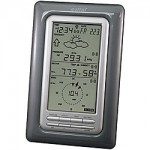
So, I got a weather station last year, and have been using it since then, but it’s always been wireless, and not great. It’s a Lacrosse WS-2316. Over the past 6 months, I’ve been improving the setup. Mounting the rain gauge on a post 3′ high (as per weather collection standards), mounting the anemometer on a mast mounted to the chimney. Then I hardwired the sensor to the base station the other week. So, instead of 120second updates, it’s now 7 second. So, useful! 

Used wview for a while, but it doesn’t really do anything about random errors with the sensor (like the occasional time the sensor says the wind is 125MPH. Umm, no). It’s a known issue, and can be fixed by replacing the anemometer cable with STP. But, until I do that, I decided to go back to a program I used when it was in beta: LWC (Lightsoft Weather Center). It’s pretty nice. Uploads to wunderground, cwop, makes webpages, etc. Sure, wview does all that, but LWC seems to do it better (and has error correction for the anemometer error). I was getting weird dips in the dew point (therefore humidity) that only lasted for a few seconds (one data point on wunderground or cwop), which screwed up my data. So far, they seem better since I replaced the batteries in the base station, and put some clip on ferrites on the uplink cable. Don’t know why the batteries would matter, since it’s hardwired, but… The ferrites might help with interference since the base station is in the office above the garage, and therefore opener, which uses the same 433mhz frequency as the weather station if it were wireless. God knows if Lacrosse was smart enough to disable wireless reception if it detects a hardwire connection. =/

Yesterday, I hooked a webcam up to the system, and it’s now uploading a picture to wunderground, as well as posting it to the weather page hosted here. 

The other geekout I’ve been having is energy usage. I’m a closet stats nerd. I’ve tracked every tank of gas my Prius has gotten, and I’ve been keeping track of my utility usage based on bills since we bought the house (I actually just got the utility company to get me all my usage from the appartments we lived in, so now I have 7 years of that too!). 

I’ve had a kill-a-watt for a while now, and while it’s great, it’s limited by what it can do (you have to plug something into it, it can’t monitor 220v loads, etc). Heck, I even bought a kill-a-watt for my step-father-in-law for christmas year before last since he thought it was so cool when I showed him. But, as I said, it’s limited. So, when I saw my new toy on thinkgeek, I immediately wanted one. It’s called a “TED” or “The Energy Detective”. It “hooks up” to your central power panel, and gives you whole house numbers, second by second. Turn on a lamp, you see the meter increase. Turn on the stove, or heat, you see that too. Woohoo! I can see how much everything in the house uses, as well as see how much I use a day, etc. You put in the power rates, and it’ll tell you how much you’re spending per hour, per day, estimate on your utility bill, etc. It’s awesome. This coming week I’m going to pay the ransom money needed to unlock the USB port so I can start actually logging the data. I have faith that google will support the TED with google powermeter, but, we’ll have to see. 

But, all of this has caused me to make some changes. Previously, I had my main TV set to “soft” standby. So, it powered up nearly instantly. It’s been like this for years. Little did I know it uses about 40W in this state. DOH! So, I put it into “hard” off, and it uses 1W or less. I also have paired down my always on computers. I now have one server, which used to be a dual G4 800mhz quicksilver. It’s now a 15″ G4 Powerbook. ’bout 80-100W savings. Then, geeking out, I bought a brand new 2009 Airport Extreme to replace my old UFO extreme. 802.11n is sweet… about 6x as fast as my old 802.11g connection. I since buying that have replaced my 8 port gig-e switch, router, and former base station with JUST the airport extreme. Since it’s got 3 gig-e LAN ports, and acts as a router and base station… bingo! So, theres another 20-30W of power saved (the former router was a soekris, and switch was a linksys SD2008). Both energy efficient, but total less so than 1 device. 

Anyone need a decent linksys 8 port gig-e switch, or an old Airport Extreme? 

So, more later… 

Links of interest: 
My Wunderground page: http://www.wunderground.com/weatherstation/WXDailyHistory.asp?ID=KORSPRIN10
My CWOP page: http://www.findu.com/cgi-bin/wxpage.cgi?call=cw9669
TED on thinkgeek: http://www.thinkgeek.com/gadgets/travelpower/b772/
TED website (it’s pretty bad): http://www.theenergydetective.com/
Google Powermeter: http://www.google.org/powermeter/

Once I have the data available, I’ll post a link to show my power usage at home, etc.

Categories: Energy, Weather Tags: , , ,
