Everybody Staze...

Nobody leavz...

  • Home
  • About Me
    • LinkedIn
    • Lab
  • Contact
  • Links
  • Reviews
  • Sitemap
  • Weather
You are here: Home / Archives for KWH

One year of energy data

2010/04/01 By staze

Today marks the 1 year anniversary of me collecting electrical usage data. April 1st of 2009, to April 1st of 2010.

Here are some interesting numbers associated with that time period:

  • Highest energy use day (amount): 2009-12-09 (98.02kWH)
  • Highest energy use month (amount): December 2009 (1612.39kWH)
  • Lowest energy use day (amount): 2009-06-18 (9.62kWH)
  • Lowest energy use month (amount): June 2009 (564.88kWH)
  • Mean (average) energy use per day: 29.15kWH (~ $1.35/day)
  • Functional Median energy use per day: 27.55kWH
  • Mode (most common) energy use per day: 18kWH (had to round this)
  • Highest energy use at a given time: 16.11kW (registered on 2009-12-29)
  • Lowest Voltage Recorded: 112.6v
  • Highest Voltage Recorded: 125.3v
  • Average Voltage: 121.4v
  • Number of rows in DB: 525,512

Of interest in all these numbers is first, my lowest use month (Jun) is about 1/3rd the energy used in my highest month (Dec). June in the Willamette Valley is generally pretty mild. Where this December, we had some pretty cold days. Second, I’m only missing 78 minutes worth of data (there are 525,600 minutes in a year, and I have 525,512 records) over the whole year or less than 0.015% of data. Not too shabby.

My voltage is pretty good, at an average of just 1.4v over 120v.

And lastly, I pay an average of $1.35/day for power (at $0.0463/kWH). So, my actual cost per month for power is about $40. Considering I have no gas service, so all my HVAC, hot water, cooking, etc come from electricity, that isn’t bad at all. And given where power largely comes from in this part of the country (Hydro-Electric), my general carbon footprint is actually lower using all electricity than it would be if I was using gas.

Pretty cool. I love the TED, and it’s great having this data. It should be interesting to see numbers a year from now… see how they change, or stay the same from this year.
Filed Under: Energy Tagged With: KWH, TED

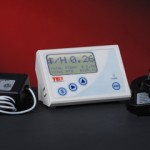
The Energy Detective (TED) 1001

2009/10/24 By staze

TED1001<Disclaimer>I will admit, first and foremost, that this review is a bit later than I would have liked. Since the time I started wanting to review the TED 1001, the 5000 has been released that offers a few major advantages. Mainly, bang for your buck. The TED 5000 allows you to upload power data to Google Powermeter, which gives real time power graphing, much like I had to hack together on my own on my website here. With all that said, let’s get on with it.</Disclaimer>

The TED 1001 is probably the first widely available whole house energy monitor device that allows someone to see how much power their home is using instantly (1 second time resolution). The display unit is accurate to 10W. Very few items in the house draw less than 10W when they’re on, so this will generally give you a pretty good idea what kind of power your home uses.

Installation of the TED is fairly simple, if not hair raising. The CTs have to be installed around the primary power feed for the breaker panel. Which, unless you have a master shutoff between the meter and the panel, or you pull the meter itself, means you’re potentially interacting with a 200AMP, 240V feed. But, you don’t actually have to touch those, and if you’re concerned, an electrician could do the job in about, 10 minutes, max. Once the CTs are installed, you hook those up to the MTU, and the MTU to a new breaker. The most difficult part of that is figuring out what phase to install the new breaker on, since it has to be the same phase as what the display is going to hook to. Which brings up basic home power…

Your home power is generally supplied by two 120V phases (why there’s the two big power feeds coming into your breaker panel). Combined, this gives us a 240V 2-phase system. If you look at a breaker panel, it kinda looks like two ladders on top of each other. One of these ladders is one 120V phase, the other is the other 120V phase. Normal breakers attach of just one of these ladders, and therefore supply 120V. Breakers for stuff like water heaters, stoves, HVAC, dryers, etc all connect to a “double pole” breaker, which connects to both ladders. So, you get 240V. So, those two phases that come into your house come from a transformer somewhere that breaks them out into single phase lines (power coming down the poles is much higher voltage, and usually 3-phase).

So, with that in mind, from breaker to breaker in your panel (going top to bottom on one side), you get alternating phases. So, when you go to plug in your MTU to a new breaker, you have to figure out what phase the outlet you plan to plug your display into is on. Otherwise, the MTU talks to the opposite phase, which goes out to the street transformer and then crosses to the other phase and comes back to the Display. Potentially hundreds of feet. This is bad. You can get a phase coupler that goes into your panel, or plugs into a dryer outlet, but it’s just easier to hook it to the right phase.

Once that’s all done, you can turn on that new breaker, and plug in the display. You should start seeing good data once you configure the TED display. It’s pretty cool all and all.

All things considered, if the 1001 was the only option from TED (assuming the 5000 was not yet released), I’d say BUY ONE! They’re a wonderful tool to figure out where and when you’re using power. If you want more specific power usage, pick up a Kill-a-Watt. You plug individual 120V items into them, and they’ll tell you how much power they’re using.

My biggest complaint about the TED 1001 is the cost of unlocking the USB port on them, $45. Thats even if you don’t use their software (which I don’t, I just use a Python script written by someone else).

[xrr rating=4.5/5]That .5 deduction is simply the cost of the unlock, mixed with how poor the software is (windows only, doesn’t help).

Here are some links of interest:

-TED 1001 Purchase : http://www.theenergydetective.com/store/teds/ted-1001.html
-Google Power Meter: http://www.google.org/powermeter/
-Energy Circle (great website about energy usage): http://www.energycircle.com/
-Youtube video showing install of TED 1001: http://www.youtube.com/watch?v=bgcvvJPX46M
-Python Script to poll TED: http://www.staze.org/static/code/scripts/ted5.py (local mirror: http://www.staze.org/static/code/scripts/ted5.py)

Filed Under: Reviews Tagged With: Energy Circle, Google PowerMeter, KWH, TED

First Google Visualizations API usage

2009/05/07 By staze

So, I finally did some basic Google Visualization stuff. On the sidebar, for my energy usage, you can now see a link for usage history. This will open a new window that shows daily KWH usage for my house. It’s an annotated timeline, though I’m not currently doing annotations.

It’s pretty simple, about 40 lines total, of which, 15 or so are php. Nothing too special. You’ll also find a link on that page to the “RAW” data, in all it’s “glory”.

More to post later, but for now, it’s all I got.

Here’s the page I used for how to structure the java output from php to make it work: http://code.google.com/apis/visualization/documentation/gallery/annotatedtimeline.html

Take care!

Filed Under: Coding, Energy Tagged With: API, google, KWH, PHP, TED, visualizations

« Previous Page
Next Page »

Weather

Categories / Archives

  • Apple
  • Coding
  • Electronics
  • Energy
  • Home Ownership
  • Miscellany
  • Politics
  • Prius
  • Sys Admin
  • Travel
  • Uncategorized
  • Work
  • June 2026
  • April 2026
  • August 2025
  • April 2025
  • January 2024
  • February 2021
  • July 2020
  • January 2020
  • April 2019
  • March 2018
  • February 2018
  • June 2017

Copyright © 2026 · Staze On Genesis Framework · WordPress · Log in