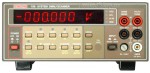
 About a month ago, I purchased a broken Keithley 199 multimeter off ebay for about $70 including shipping. From everything I’d read, it was a pretty accurate 5.5 digit, 310,000 count multimeter with a nice bright LED display (as opposed to the Fluke VFD, or HP non-backlit LCD displays). Having bought sight unseen, I wasn’t sure what exactly was broken. It could just be simple user error, or something more serious, but from the age of the unit, it should be fairly repairable.
And thankfully, the manual supplied by Keithley (available here, via KO4BB, without registering), has wonderful block diagrams, layout images, and schematics. After receiving the unit, I found it was indeed non-functional, with wildly varying readings. All the buttons worked, and it would switch ranges, but the readings never worked.
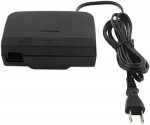 I recently found a Nintendo N64 at a garage sale for $5 with MK4, but no controllers, and the power cord had been chewed off by a dog or something. Knowing it was probably fine, I bought it and went about replacing the cable. Of course the gamebit I had was the 3.8mm variety (for opening games, not consoles), so I had to needle-nose it out. Once that was done, and it was open (there are some clips on the other side of the power supply opposite the screws), I couldn’t get the PCB out. After looking and looking, I just wrestled it out with some force, and found that Nintendo, for some reason, used some double stick foam tape to secure the top of the transformer to the underside of the top of the casing.
 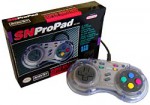 I recently broke out my Super Nintendo in order to build up the “ultimate” gaming environment, and to my dismay, the “B” button on my trusty, old, SN ProPad would not function. I love this controller, and have had it since the mid-90’s when I the SNES was my console of choice. =)