UPDATE: This cutting ended up dying over the winter. Succumbed to stem/black rot. =/
Tara’s mom was in Hawaii this last week, and was nice enough to bring me back a Plumeria cutting from, of all places, the Dole plantation on Oahu. The cultivar is “Tillie Hughes“. The cutting is 13” long not including the small leaf it came with.
So, starting today, I prepped the “soil” (2/3rd Perlite, 1/3rd Peat moss), pot (1 gal black nursery pot), and cutting. The cutting I sprayed with dilute bleach, waited for 15 seconds, then rinsed and wiped clean, then dipped the base in water, and then into a ziplock bag with some Rootone in it. It’s now sitting by my HVAC vent (no heat/cool air, just air circulating) drying. Tomorrow I’ll place it in the pot, put it on a heating pad, and under a light. Hoping I can get this to root. Last times I’ve had cuttings, I’ve only had about a 25-33% success rate.
DAY 1 — 9/21/2010
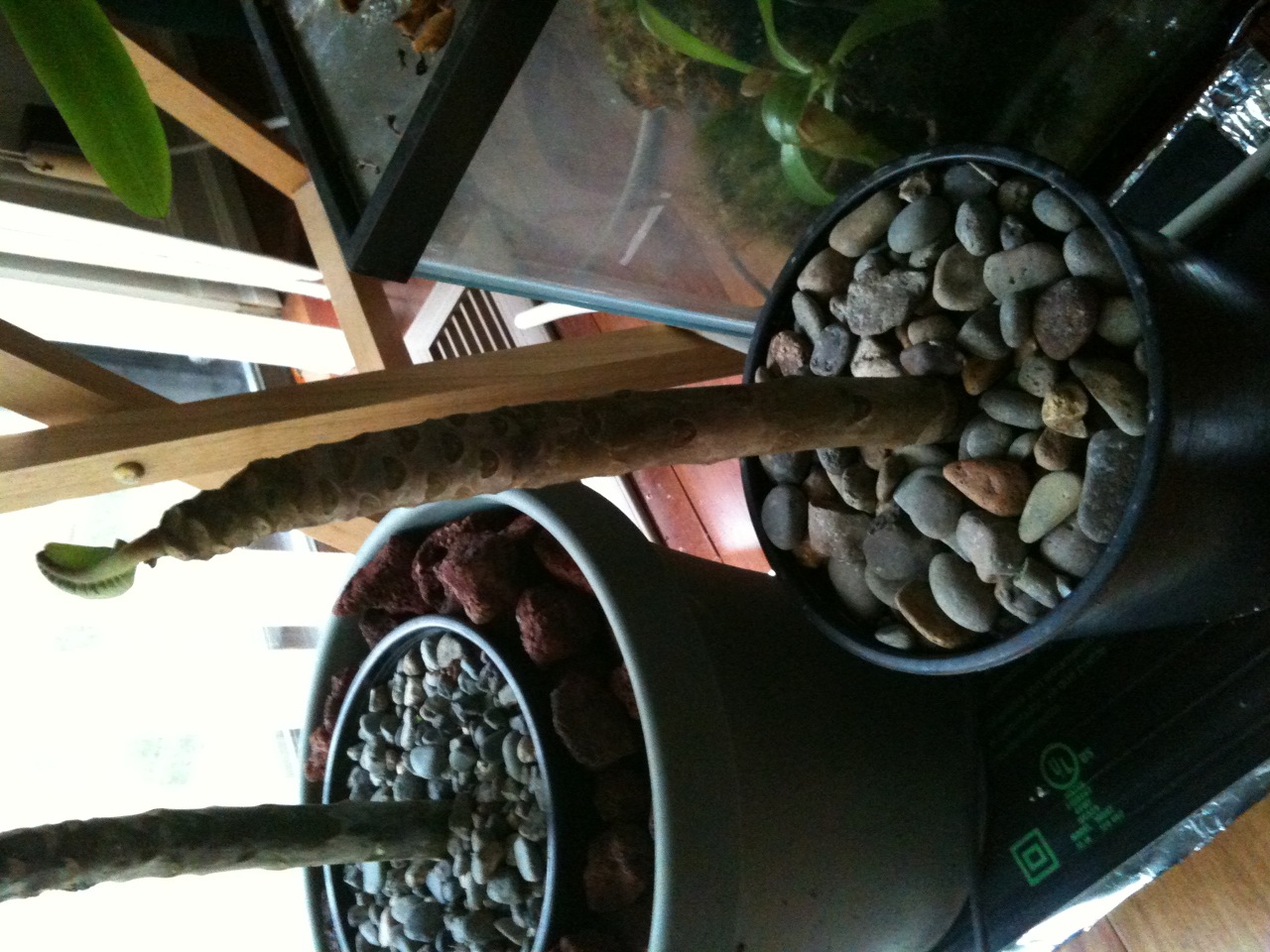
Cutting, Just Planted
I planted the cutting today. I used the same method as the last cutting I had success with: Fill pot with “soil” (listed above) with 1″ to spare at the top. I marked the cutting 4″ from the bottom, and plunged the cutting in until the marking was even with the pot top (so, 1″ between the soil line, and the mark). I packed the soil down a bit, then filled the remaining inch of space with some medium sized pea gravel (slightly bigger than I’d like, but should be fine). This helps stabilize the cutting, and weigh down the pot (helps prevent accidental knock-overs).
I then watered the cutting in with a quart of water, and half a teaspoon of Captan “dissolved” in the water. This should help with any possible rot (we’ll see). After draining, the pot was placed on a seedling heat pad I bought for my last plumeria cutting, and a 13watt full spectrum compact fluorescent placed above it at about 8″. The light is set to run from 7am to 12am, and the heating pad will run 24/7. It’s only 15watts, so it shouldn’t overheat the pot (didn’t last time).
I do not plan to water the cutting AT ALL until it’s got a decent number of leaves. The last cutting I did, I don’t think I watered it for probably 3 months after planting (it took about 8 weeks to root and produce any leaves). This cutting came with a single small leaf, which I imagine won’t do much until there are roots.
I’ll post more on this when I see actual progress.
DAY 71 — 12/01/2010
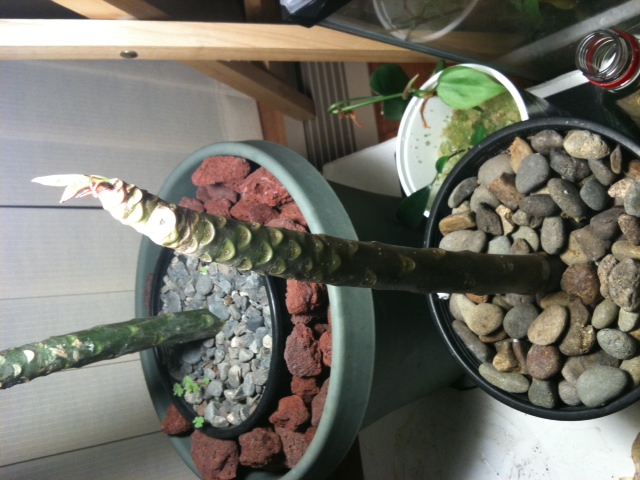
Cutting, Day 71
It’s been 71 days since my cutting was planted. While it seemed to have roots about a month ago (and the stem went from modestly firm to quite ridged around that same time), it didn’t start growing leaves until about 3 days ago. The leave it originally came with fell off within a month of planting. I was able to tell it had rooted by gently twisting the cutting side to side. If it doesn’t move, it’s rooted. =) Don’t twist too hard though, you’ll break the roots right off.
I have only watered the cutting once, about 3 weeks ago (after I was pretty sure it rooted). And I only watered after stabbing the soil with a chopstick and it coming up dry. Watered with about a third of a cup of water… just enough to keep it moist.
Light has been almost entirely artificial, from 7am to 12am, 7 days a week. The blinds in that area are closed, so very little natural light is getting in. The pot is sitting directly on a seedling heat pad that’s about 90F, which means the rootzone of the pot/cutting is in the 80F range last I measured.
All and all, I think this cutting has been pretty simple. Either the quality of the cutting was good, or I’ve gotten better at rooting them (probably a bit of both). I will post again when the leaves have gotten bigger and opened up. Probably around day 90, which will be 3 months. =)
DAY 112 — 1/11/2011
I don’t have a new picture for this post (I could, but nothing has really changed). This is mainly a post to say, things are still good (no rot), and I’ve watered a few times. Also fertilized for the first time last week.
More importantly, doing some reading online, I found that the supplemental light I was providing wasn’t right. My previous light was a 23W 3500k Compact Fluorescent Light. This would be good for encouraging flowering of the plumeria, but not so good for encouraging vegetative growth. So this evening, I went out to a local store (Bi-Mart for those that live in the PNW), and purchased a 26W 6500k CFL. From what I’ve read, this is the ideal color temperature for vegetative growth. I’d link to something here, but alas most of the info online relating to this relates to growing pot. So, for more info, just google “color temp cfl growth”, or something similar.
I’ll post back in a few weeks to let you know if it’s made a difference. My year+ old cutting, though, has still got leaves (oddly), and looks quite good. I’d have to guess it’ll lose those at some point. It may not flower this year, which is fine, since some more girth would be good on that plant. I hope to transplant it in the next month or two.
DAY 118 — 1/17/2011
So, it’s only been 6 days since I’ve changed the light, but I’m already seeing a difference. For weeks before I changed the light, it did nothing. No growth at all… just two small leaves, and some leaf nubs. 6 days after changing the light, I’ve already got a fairly decent sized leaf forming, and a couple others forming. So, at this point, big thumbs up! More in a few weeks.