This post assumes the user is using a Macintosh running 10.5.x or greater. It will still work with Linux or other Unix OS’s, but you’ll need to do some digging to get the proper commands. This way is all GUI driven.
Assumptions:
- Have access to a computer running ≥10.5.x
- Have a self signed certificate your web server is using for SSL
- Have configured WordPress to require SSL for XMLRPC and Login (using “define(‘FORCE_SSL_ADMIN’, true);”) (Admin over SSL).
Assuming all of this, the process is not too difficult.
The basic gist is that you need to create a Certificate Authority, and then sign your SSL web cert with this CA. Once you’ve done that, you can then take the CA certificate, and email it to your iphone, and install it there.
So basically, you need to create a CSR (Certificate Signing Request) from your SSL cert you’re using on your webserver. If you’re using Mac OS Server 10.4 or greater, you can do this in Server Admin very easily. If you’re not, then you need to do some command line magic.
Something like this here: http://sial.org/howto/openssl/csr/
Once you have that CSR, you then can go into Keychain Access on your mac, and under the “Keychain Access” menu, go to “Certificate Assistant” and say “Create a Certificate Authority…”. Walk through that wizard, and most of the defaults are fine. You’ll want to put in your name, email, etc.
Once that’s done, you can go back into Certificate Assistant, and say “Create a Certificate for Someone Else as a Certificate Authority…”. This basically will sign your certificate. It’s like a self-signed certificate, only you actually have the CA cert to “trust”. Walk through that, though you may have to change the defaults for what the certificate is for.
Once you’ve done that, you’ll need to use this new certificate, as your SSL certificate. You do that by exporting the SSL cert as a .pem, and then replacing your public SSL cert with this one. Restart your web server, and you should have a signed cert. Assuming you trusted your own CA, you also shouldn’t get any warning about it being untrusted.
Now, once that’s done, you can export the public CA cert, as a .crt, and email than to your iphone. Once you get that, you can click it, choose to install the profile, and you’re done. The wordpress app should now work.
Please contact me if none of this makes sense, or if you need additional info. I was going to put up screen shots, but that just delayed me posting this. Which I wanted to get done.
Have a great rest of the week, and weekend!
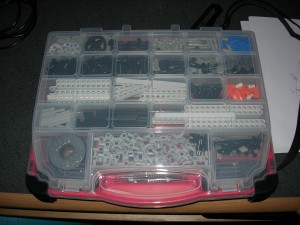
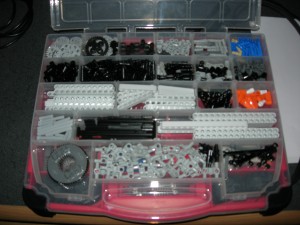 The only issue I can really see is moving back and forth between the top and the bottom of the case to get parts. Ideally, the two halves would come apart easily so one could have them on the table separately and allow for easy retrieval. I can see why Plano doesn’t do this, since the case is really meant for storing random shop related stuff, not really legos. A lot of people purchase the Stanley cases, but have two, one like the one I bought for normal parts. The other that has the deep containers to hold the NXT, cables, etc. This really allows for spreading out and building. And while that would be great for multi-person builds, or in educational settings (apparently the Lego branded cases for education even have holes in the bottom of the trays so you can wash and drain the pieces!), I don’t think it’ll be as big a deal for me. Heck, the main reason I did this, at this point, is to get the ugly torn up box off my shelf.
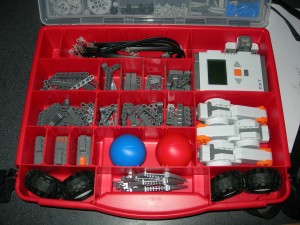 It would be cool if the bottom section had removable trays, but given the price point, and my goals, it’s hardly a deal killer. It would also be nice if the top separated from the bottom easily, in lieu of the separate containers. But, again, for $10, this is so much better than the box. I really wish Lego would have just included a case with the set.