So, along the lines of my previous post, today I decided to look into Flash Player performance on 10.5 clients with a 10.5.8 server, using network home directories.
I had noticed a couple days ago that users playing youtube videos got occasional skips and stops in the video. This is on a brand new Intel iMac, with 2gb of ram. It should easily be able to handle a non-full screen, non-HD youtube video. Doing a `fs_usage AppleFileServer | grep <username>` (where <username> is the username of the user logged in) on our AFP server showed a LOT of traffic to ~/Library/Preferences/Macromedia/Flash Player/… First, seems like Adobe hasn’t touched that part of the Flash player code, if it’s still writing to a “Macromedia” folder. Second, why the hell is it caching information in the Preferences folder?! That’s what ~/Library/Caches is for (which I already redirect). But, I know there’s been a lot of complaining in the past about Flash caching data in non-standard places that aren’t affected by clearing the browser cache.
So, given that amount of traffic it was producing, I figured that was probably the cause (what a leap!), so, I open up the NHR scripts I use, and add a redirect for that folder to the local HD, and install those on the client. Guess what? No more Flash Player skips or stops on network home users.
At this point, I’ve copied those changes out to all our clients, and dropped them into our DeployStudio workflow (for machines that we image between now and the next image update). On the plus side, this should result in a sizable decrease in server IO and network traffic in the case of a whole class watching Flash videos.
So, once again, shoddy programming. The only caveat I can think with this would be any install bases that are using Macromedia Dreamweaver (already checked Dreamweaver CS3, and it doesn’t write to that folder), or maybe Macromedia Director. If you’re running those, I’d recommend just redirecting the “Flash Player” folder within the Macromedia folder. But, I’m not positive those other programs write to that folder, it’s just a guess.
So, good luck.
UPDATE: So, a student came up to me today and said Pandora stopped working. Looking into the issue, it looks like the newest full release of Flash doesn’t really like this “hack”. So, after beating my head against the wall for 2 hours with this, I decided “what the hell” and installed the beta of Flash player that adobe just released (which is Intel only, even though it claims to be a Universal Binary in the installer, and the Plugin itself), and what do you know, it fixed the issue. So, my guess at this point is Adobe is just slowly updating Macromedia’s code, and they found/fixed this issue while fixing something else (since they don’t support Network Homes).
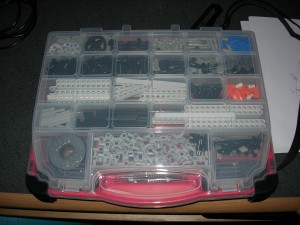
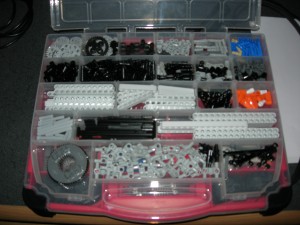 The only issue I can really see is moving back and forth between the top and the bottom of the case to get parts. Ideally, the two halves would come apart easily so one could have them on the table separately and allow for easy retrieval. I can see why Plano doesn’t do this, since the case is really meant for storing random shop related stuff, not really legos. A lot of people purchase the Stanley cases, but have two, one like the one I bought for normal parts. The other that has the deep containers to hold the NXT, cables, etc. This really allows for spreading out and building. And while that would be great for multi-person builds, or in educational settings (apparently the Lego branded cases for education even have holes in the bottom of the trays so you can wash and drain the pieces!), I don’t think it’ll be as big a deal for me. Heck, the main reason I did this, at this point, is to get the ugly torn up box off my shelf.
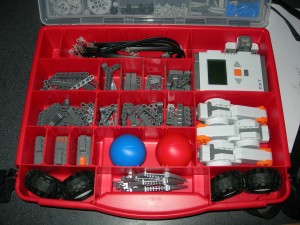 It would be cool if the bottom section had removable trays, but given the price point, and my goals, it’s hardly a deal killer. It would also be nice if the top separated from the bottom easily, in lieu of the separate containers. But, again, for $10, this is so much better than the box. I really wish Lego would have just included a case with the set.